Rowlyx
Drift Node
Drift Node
Couldn't load pickup availability
Self-paced learning overview
- 💾 Digital file available after purchase
- 📚 Long-term availability
- 🔐 Secure checkout
- 🧾 Content updated in 2026
1. Problem Statement
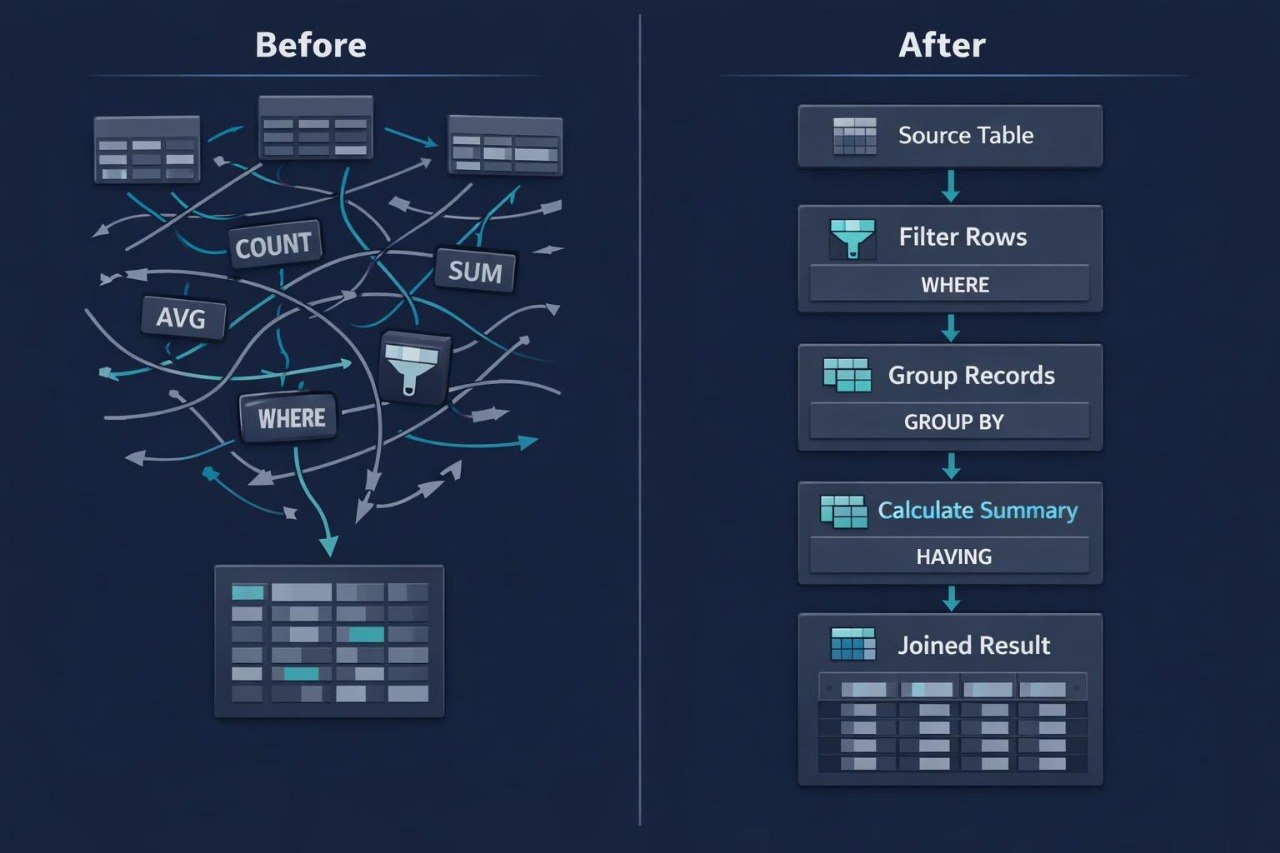
Struggling to work with longer SQL structures after learning basic queries, JOIN, GROUP BY, and filtering? You’re not alone: when a query includes several layers, subqueries, conditions, and summary parts, its logic can feel unstable. A learner may understand separate elements but still lose track of how they connect to each other. Confusion often appears when deciding which part filters data, which part creates an intermediate result, and which part forms the final answer. Drift Node was created to help learners see a more detailed SQL query as a system of nodes where every block has its function.
2. Solution
This course will teach you SQL programming through step-by-step review of more detailed queries and intermediate logic blocks. You will study subqueries, nested selections, filtering at different stages, and ways to read longer SQL structures. The materials show how to divide a larger query into smaller parts, review each part, and then connect them into one complete view. Special attention is given to condition logic, duplicated rows, how the result depends on query parts, and how to check intermediate findings. Drift Node is suited for learners who want to move from multi-table work into deeper SQL structure review.
3. What's Inside
- Module 1: Query Nodes Map — an explanation of how a longer SQL query can be viewed as a set of logic nodes: data source, filter, join, grouping, intermediate result, and final selection.
- Module 2: Subquery Basics — an introduction to subqueries: where they can appear, what role they play, how to read nested logic, and how the result of one query is used inside another.
- Module 3: Filtering with Subqueries — examples where a subquery helps select needed rows; explanations of IN, NOT IN, comparisons with summary values, and reading conditions in context.
- Module 4: Derived Tables View — working with intermediate tables inside a query: how a temporary selection is created, how to name it, how to refer to its columns, and how to use it in later logic.
- Module 5: Multi-Step Aggregation — a breakdown of cases where data is grouped first and then used in another query part; summary values, repeated result reading, and group checking.
- Module 6: Joined Subquery Patterns — examples where a subquery is combined with JOIN: how an intermediate selection becomes a source for joining and how to keep table relationship logic clear.
- Module 7: Condition Drift Review — a learning review of mistakes where a condition is applied at the wrong stage, changes row count, or affects the final output differently than expected.
- Module 8: Node Practice Tasks — practice exercises with longer queries: find the subquery, define its role, describe the intermediate result, connect it with the main query, and explain the final table.
- Module 9: Debug Reading Notes — self-review materials: how to reread a more detailed query, where to look for the source of an issue, how to check row count, and how to compare intermediate results.
- Module 10: Drift Summary Board — a final study block with short diagrams, review questions, and examples that help reinforce the logic of subqueries and multi-step SQL structures.
4. Who is this for?
✅ A good fit if you:
- already know JOIN, GROUP BY, WHERE, and HAVING;
- want to understand subqueries and intermediate selections better;
- work with longer SQL examples and want to read them more calmly;
- want to divide a more detailed query into logical parts;
- need more practice with checking conditions, grouping, and intermediate results.
❌ Not for you if you:
- do not yet know basic SQL query structure;
- have not worked with JOIN or GROUP BY;
- are looking only for a short introduction to SQL programming;
- expect topics outside data, tables, and queries;
- do not want to review longer study examples.
5. What You'll Learn
- How to read a longer SQL query through logic blocks.
- How basic subqueries work.
- How to use subqueries for data filtering.
- How to read a nested selection inside the main query.
- How intermediate tables are created in SQL examples.
- How to combine subqueries with JOIN.
- How to check multi-step grouping logic.
- How conditions can change intermediate and final results.
- How to find where a query starts producing an unwanted result.
- How to describe the role of each part of a more detailed SQL query.
- How to prepare for broader Rowlyx study scenarios.
6. 30-day refund policy
The Drift Node plan includes a 30-day refund policy according to the Rowlyx store terms. If the materials do not match your expectations or you need to clarify the return rules, you may contact the support team within 30 days after purchase. The request will be reviewed according to the store policy and order terms.
Are Rowlyx courses suitable for beginners?
Are Rowlyx courses suitable for beginners?
Yes, Rowlyx materials are created for step-by-step SQL programming study. A learner can begin with basic concepts such as tables, rows, columns, queries, conditions, and filtering. From there, the topics gradually move into table relationships, grouping, data analysis, and more detailed study scenarios. Each plan has a different depth of content, but all plans keep a calm and structured format.
Do I need previous experience with databases?
Do I need previous experience with databases?
For the starting plans, previous experience is not required. The materials explain how tables are structured, how rows and columns are read, how a simple SQL query is formed, and how basic conditions work. For higher plans, initial SQL knowledge may be helpful, but the explanations remain sequential. Rowlyx does not require learners to jump into complex topics from the first lesson.
What is included in the learning materials?
What is included in the learning materials?
Depending on the plan, learners receive lessons, modules, SQL query examples, practice exercises, study notes, checklists, and self-review materials. All content is created to help learners better understand the logic of tables, relationships, filters, grouping, and query building. Materials can be studied at a personal pace, with the option to return to topics when needed.