Rowlyx
Motion Stream
Motion Stream
Couldn't load pickup availability
Self-paced learning overview
- 💾 Digital file available after purchase
- 📚 Long-term availability
- 🔐 Secure checkout
- 🧾 Content updated in 2026
1. Problem Statement
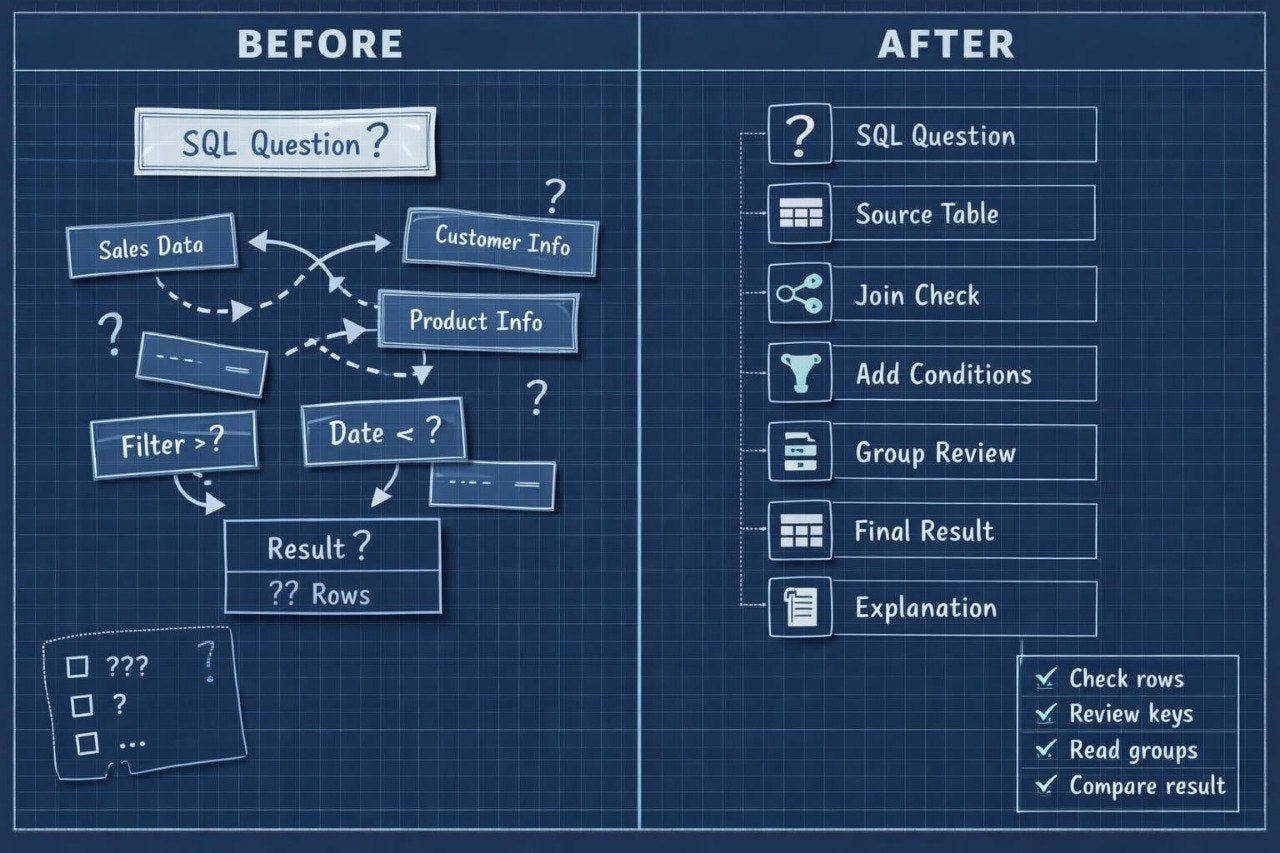
Struggling to see how data moves from a table to the final SQL result? You’re not alone: after learning SELECT, FROM, WHERE, and ORDER BY, many learners need a clearer way to understand grouping, table joins, and the middle logic of a query. Many learners can read a simple example but feel unsure when several tables or summary values appear. Because of this, a query may seem longer and more confusing than its actual purpose. Motion Stream was created to show SQL as a sequence of data changes through conditions, relationships, and calculations.
2. Solution
This course will teach you SQL programming through the idea of flow: from the starting table to a filtered, grouped, or joined result. You will explore how GROUP BY works, why aggregate functions are used, and how tables connect through shared fields. The materials explain each topic through examples that show what changes after each part of a query. You will learn not only to recognize syntax, but also to understand the logic of moving from raw rows to a summary table. Motion Stream is a good fit for learners ready for the next step after basic SQL query structure.
3. What's Inside
- Module 1: Data Flow View — an explanation of how to read an SQL query as a sequence of actions on data: choosing a table, filtering rows, selecting columns, sorting, and preparing the result.
- Module 2: Aggregate Functions — an introduction to COUNT, SUM, AVG, MIN, and MAX in study examples; learners see how calculations describe a set of rows.
- Module 3: GROUP BY Logic — a breakdown of data grouping, creating summaries by category, reading grouped results, and common mistakes when selecting columns.
- Module 4: HAVING in Context — an explanation of the difference between WHERE and HAVING, filtering before and after grouping, and examples of conditions for summary values.
- Module 5: First Join Patterns — an introduction to table joins: shared fields, record matching, basic INNER JOIN logic, and reading results from several sources.
- Module 6: Join Result Reading — learning exercises for understanding why joins may create new columns, repeated values, or a larger number of rows.
- Module 7: Stream Practice Tasks — practice tasks where learners filter data, group records, apply aggregate functions, and read the result step by step.
- Module 8: Query Flow Checklist — a short self-review checklist: which table starts the query, where the condition is applied, what is grouped, what is calculated, and how the result is formed.
4. Who is this for?
✅ A good fit if you:
- already know SELECT, FROM, WHERE, and ORDER BY;
- want to understand grouping and summary values;
- are beginning to work with several tables;
- want to read longer SQL queries more clearly;
- are looking for exercises that show how data changes after each step.
❌ Not for you if you:
- do not yet understand basic SQL query structure;
- are looking only for a short introduction without grouping or joins;
- already work comfortably with multi-layer subqueries and complex analytical structures;
- expect topics outside SQL programming.
5. What You'll Learn
- How to read an SQL query as a sequence of data changes.
- How to use aggregate functions in study examples.
- How COUNT, SUM, AVG, MIN, and MAX work.
- How to group data with GROUP BY.
- How to tell WHERE and HAVING apart.
- How to filter regular rows and summary groups.
- How basic INNER JOIN logic works.
- How to read output after joining tables.
- How to notice repeated values and row count changes.
- How to build simple summary queries.
- How to check whether the result matches the learning task.
6. 30-day refund policy
The Motion Stream plan includes a 30-day refund policy according to the Rowlyx store terms. If the materials do not match your expectations or you need to clarify the return rules, you may contact the support team within 30 days after purchase. The request will be reviewed according to the store policy and order terms.
Are Rowlyx courses suitable for beginners?
Are Rowlyx courses suitable for beginners?
Yes, Rowlyx materials are created for step-by-step SQL programming study. A learner can begin with basic concepts such as tables, rows, columns, queries, conditions, and filtering. From there, the topics gradually move into table relationships, grouping, data analysis, and more detailed study scenarios. Each plan has a different depth of content, but all plans keep a calm and structured format.
Do I need previous experience with databases?
Do I need previous experience with databases?
For the starting plans, previous experience is not required. The materials explain how tables are structured, how rows and columns are read, how a simple SQL query is formed, and how basic conditions work. For higher plans, initial SQL knowledge may be helpful, but the explanations remain sequential. Rowlyx does not require learners to jump into complex topics from the first lesson.
What is included in the learning materials?
What is included in the learning materials?
Depending on the plan, learners receive lessons, modules, SQL query examples, practice exercises, study notes, checklists, and self-review materials. All content is created to help learners better understand the logic of tables, relationships, filters, grouping, and query building. Materials can be studied at a personal pace, with the option to return to topics when needed.