Rowlyx
Peak Stage
Peak Stage
Couldn't load pickup availability
Self-paced learning overview
- 💾 Digital file available after purchase
- 📚 Long-term availability
- 🔐 Secure checkout
- 🧾 Content updated in 2026
1. Problem Statement
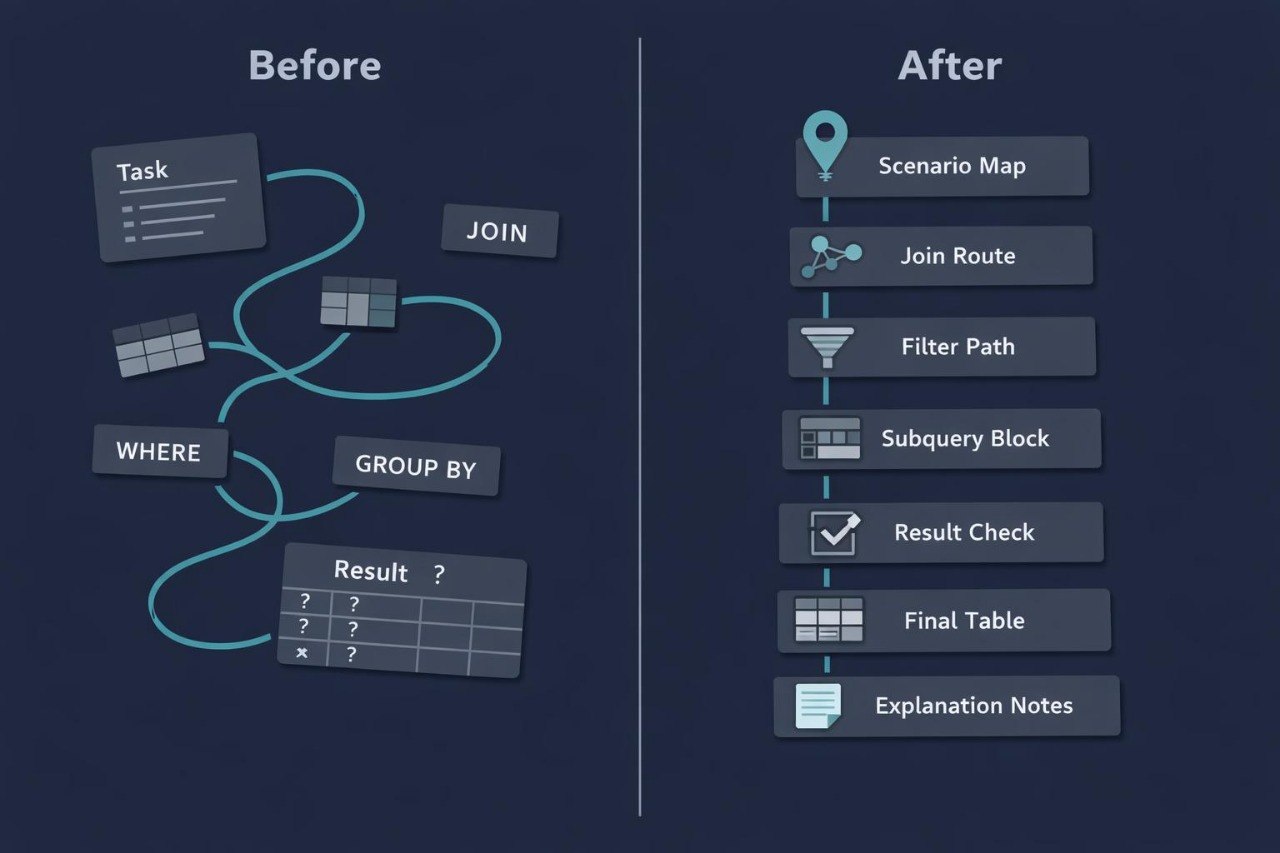
Struggling to combine key SQL programming topics into larger study scenarios? You’re not alone: when a query includes several tables, different join types, subqueries, grouping, conditions before and after calculations, the structure can become harder to read. Many learners understand each separate part but do not always see how they work together to answer the original question. Additional difficulty appears when the task is not only to write a query, but also to check its logic, find the weak point, and explain the result clearly. Peak Stage was created as the final Rowlyx learning route for complex SQL query work.
2. Solution
This course will teach you SQL programming through full scenarios: from task analysis to query building, intermediate result checks, and final table explanation. You will review how to combine JOIN, GROUP BY, HAVING, subqueries, derived selections, and multi-step filtering in one learning process. The materials show how to avoid getting lost in longer SQL structures and how to keep attention on the main question being asked of the data. Separate modules focus on result checking, common issue review, reading more detailed queries, and writing clear explanations. Peak Stage is suited for learners who want to study a broader set of SQL topics in the structured Rowlyx format.
3. What's Inside
- Module 1: Full Scenario Blueprint — a breakdown of a full SQL scenario: how to read the task, define the target result table, find needed data sources, identify key fields, and describe the expected result before writing the query.
- Module 2: Advanced Join Routes — learning work with several joins: join sequence, checking relationships between tables, controlling repeated rows, reading empty values, and understanding how the join type affects the output.
- Module 3: Nested Query Design — a review of nested queries: how a subquery creates an intermediate answer, how the main query uses that answer, and how to check each level separately.
- Module 4: Multi-Layer Filtering — working with filters at different stages: WHERE for rows, HAVING for groups, conditions inside subqueries, and filtering after table joins.
- Module 5: Aggregation and Comparison — building summary tables, comparing groups, reading aggregate functions, checking calculations, and analyzing cases where the result depends on correct grouping.
- Module 6: Derived Table Workflows — using derived tables in SQL examples: creating a temporary selection, naming it, referring to its columns, and combining it with other query parts.
- Module 7: Query Debug Path — a learning review of issues in longer queries: extra records after JOIN, missing rows, condition placement problems, incorrect grouping, column name confusion, and unexpected summaries.
- Module 8: Result Explanation Studio — materials for explaining SQL solutions: how to describe the role of each query part, how to explain row count changes, how to show filtering logic, and how to connect the result with the original question.
- Module 9: Multi-Stage Practice Cases — practical study scenarios with several stages: question wording, table selection, join building, condition adding, grouping, intermediate result checking, and final table description.
- Module 10: Query Reading Challenges — tasks for reading existing SQL queries: identify what each block does, find the data source, describe conditions, explain calculations, and predict the result.
- Module 11: Review Matrix — review materials for organizing topics: comparison tables, self-check questions, short diagrams for JOIN, GROUP BY, HAVING, subqueries, and derived selections.
- Module 12: Final SQL Route Board — a final learning block where the learner builds a full SQL reasoning route: from question to data, from data to query, from query to result, and from result to explanation.
4. Who is this for?
✅ A good fit if you:
- have already worked with basic and mid-level SQL programming topics;
- know JOIN, GROUP BY, HAVING, and subqueries at a study level;
- want to combine several SQL structures in one scenario;
- want to check intermediate and final results more carefully;
- want to explain the logic of longer queries;
- are looking for a broader Rowlyx material set with practical examples, checklists, and exercises.
❌ Not for you if you:
- are just starting with SQL programming;
- have not yet worked with JOIN, GROUP BY, or subqueries;
- are looking for a short introductory material set;
- do not want to analyze longer SQL scenarios;
- expect materials outside tables, data, queries, and SQL logic.
5. What You'll Learn
- How to analyze a full SQL scenario before writing a query.
- How to identify needed tables, columns, and key fields.
- How to build queries with several JOINs.
- How to check rows after each join.
- How to use subqueries for intermediate selections.
- How to apply WHERE, HAVING, and conditions inside nested parts.
- How to build summary tables with GROUP BY.
- How to check aggregate functions and calculations.
- How to work with derived tables in SQL examples.
- How to find common issues in longer queries.
- How to compare intermediate output with final output.
- How to explain the role of each SQL query part.
- How to read existing SQL structures and describe their logic.
- How to finish a learning scenario with a clear conclusion about the result.
6. 30-day refund policy
The Peak Stage plan includes a 30-day refund policy according to the Rowlyx store terms. If the materials do not match your expectations or you need to clarify the return rules, you may contact the support team within 30 days after purchase. The request will be reviewed according to the store policy and order terms.
Are Rowlyx courses suitable for beginners?
Are Rowlyx courses suitable for beginners?
Yes, Rowlyx materials are created for step-by-step SQL programming study. A learner can begin with basic concepts such as tables, rows, columns, queries, conditions, and filtering. From there, the topics gradually move into table relationships, grouping, data analysis, and more detailed study scenarios. Each plan has a different depth of content, but all plans keep a calm and structured format.
Do I need previous experience with databases?
Do I need previous experience with databases?
For the starting plans, previous experience is not required. The materials explain how tables are structured, how rows and columns are read, how a simple SQL query is formed, and how basic conditions work. For higher plans, initial SQL knowledge may be helpful, but the explanations remain sequential. Rowlyx does not require learners to jump into complex topics from the first lesson.
What is included in the learning materials?
What is included in the learning materials?
Depending on the plan, learners receive lessons, modules, SQL query examples, practice exercises, study notes, checklists, and self-review materials. All content is created to help learners better understand the logic of tables, relationships, filters, grouping, and query building. Materials can be studied at a personal pace, with the option to return to topics when needed.